
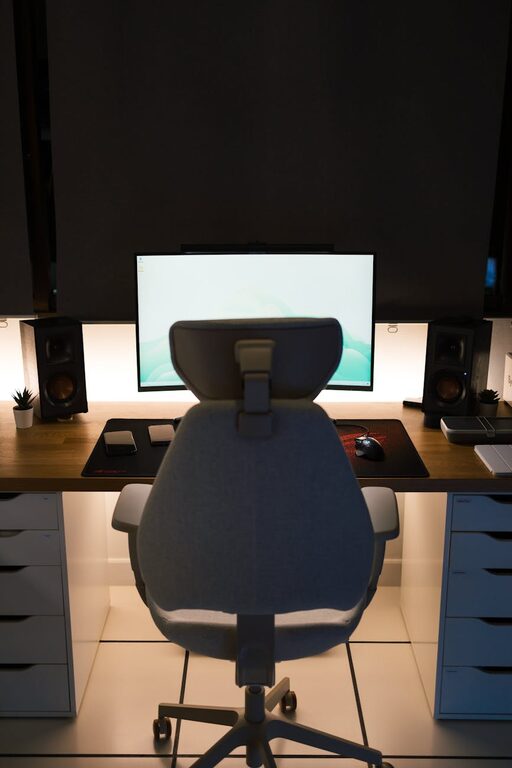
Creating a comfortable and productive home office space is essential for anyone working from home. Whether you’re a full-time remote worker, a freelancer, or simply need a dedicated spot for occasional tasks, having a well-organised workspace can improve focus, reduce fatigue, and make work more enjoyable. In this post, we’ll explore practical tips on how to design your home office for maximum comfort and efficiency.
Choose the Right Location
Selecting the perfect spot for your office is the first step. Ideally, choose a quiet area with plenty of natural light. This reduces eye strain and creates an uplifting atmosphere. If possible, avoid high-traffic areas such as busy living rooms or kitchens to minimise distractions.
Consider these factors:
– Privacy: Find a space where you won’t be easily disturbed.
– Natural light: Near a window is best, but avoid glare on your screen.
– Room size: Ensure you have enough space for your desk, chair, and storage.
Invest in Ergonomic Furniture
Comfort is key when spending long hours at a desk. Ergonomic furniture supports good posture and helps prevent aches and strains.
Desk
Choose a desk that suits your workflow. It should be spacious enough for your computer, keyboard, and any materials you need regularly. Adjustable desks that allow you to switch between sitting and standing are becoming more popular and can help reduce sitting time.
Chair
A good office chair is crucial. Look for one with adjustable height, lumbar support, and comfortable padding. Your feet should rest flat on the floor, and your knees should be at or below hip level.
Organise Your Workspace Effectively
Clutter can hinder productivity. Keeping your workspace tidy makes it easier to focus and locate what you need quickly.
Declutter regularly
Set aside time weekly to clear away unnecessary papers or items.
Storage solutions
Use shelves, drawers, or filing cabinets to organise documents, stationery, and electronic devices. Desk organisers and cable management trays also help keep surfaces neat.
Keep essentials within reach
Arrange frequently used items close by to avoid interrupting your workflow.
Optimise Lighting
Good lighting improves comfort and reduces headaches.
– Use a combination of natural and artificial lighting.
– Position your desk so the light doesn’t cause screen glare.
– Consider a desk lamp with adjustable brightness for focused tasks.
Personalise Your Space
Adding personal touches can make your workspace more inviting and motivating.
– Include plants to bring life and improve air quality.
– Hang artwork or photos that inspire you.
– Choose colours and accessories that suit your taste but avoid excessive decoration that may distract you.
Create a Technology Setup That Works
Reliable and efficient technology is the backbone of any home office.
– Ensure you have a fast internet connection.
– Invest in a good quality keyboard, mouse, and monitor.
– Use noise-cancelling headphones if you’re in a noisy environment.
– Keep chargers and cables organised to avoid tangles.
Establish Boundaries
Separating work and home life is important.
– Set clear working hours and communicate them to family or housemates.
– Use your workspace only for work, if possible, to signal to your brain when it’s time to focus.
– Take regular breaks to rest your eyes and move around.
Maintain Good Air Quality
Fresh air can help you stay alert and comfortable.
– Open windows to allow ventilation.
– Use air purifiers if the indoor air quality is poor.
– Keep plants that are known to improve air quality.
Pay Attention to Sound
Noise can easily disrupt productivity.
– Use rugs or curtains to reduce echo.
– Consider white noise machines or calming music to block distractions.
– If external noise is an issue, earplugs or noise-cancelling headphones can be helpful.
Develop a Routine
A structured routine improves focus and efficiency.
– Start your day with a tidy workspace.
– Plan tasks and set realistic goals.
– End your day by organising your desk for the next day.
—
By following these tips, you can create a home office that not only feels comfortable but also boosts your productivity. A well-designed workspace can make all the difference in your work-from-home experience, helping you stay motivated and maintain a healthy work-life balance.